
AMPER Loyalty Program – points from invoices add up on their own, and customers see them in the B2B store
A new AMPER module: customers earn points on invoices for selected products and redeem them for rewards in the B2B store. Points are calculated every night.
How long does it take you today to calculate points in your loyalty program for wholesale customers?
In many companies it looks the same: an invoice export from the ERP, a spreadsheet with conversion rates and credit notes that change the result every month. And a customer who wants to know how many points they have has to call their sales rep.
A program in which customers cannot see their points does not change their orders.
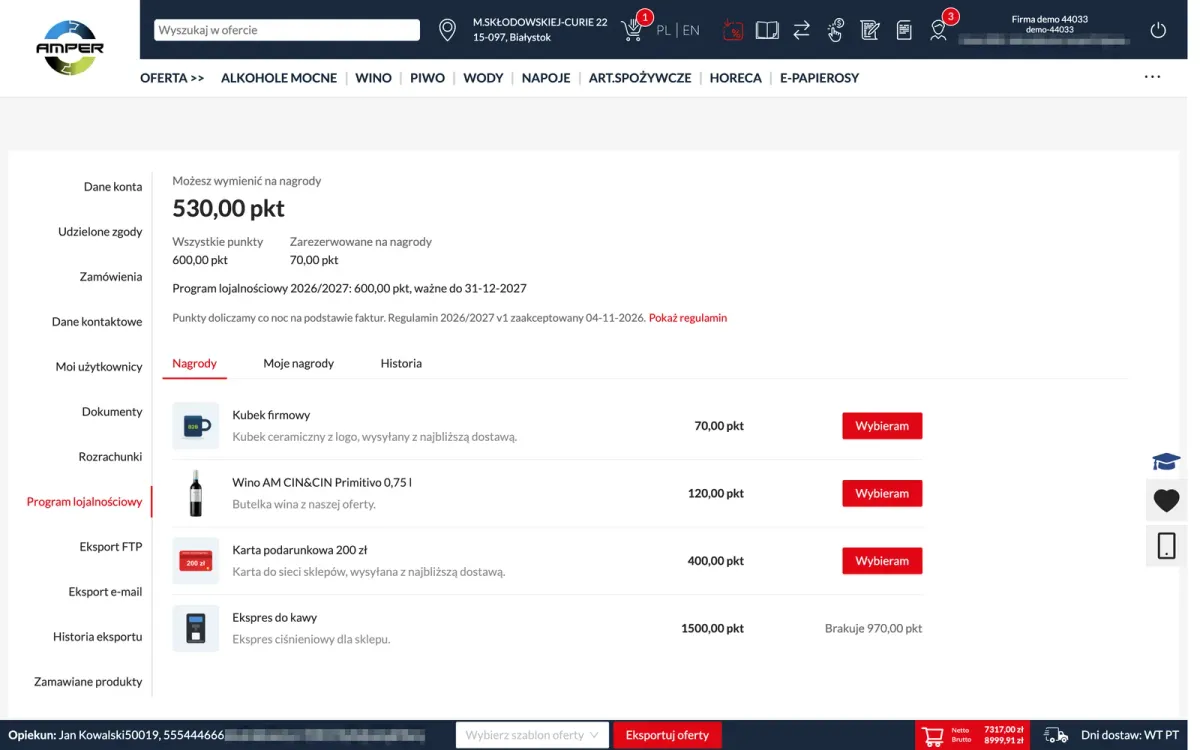
That is why we built a new AMPER module: AMPER Loyalty Program. Customers earn points on invoices for selected products and redeem them for rewards. You set the program up in the AMPER admin panel, points are calculated automatically every night, and customers see them in the AMPER B2B store.
Who does what
- The administrator in the panel – creates the program and product packages, publishes the terms, sets up rewards, approves customer requests and hands out rewards.
- The customer in the B2B store – accepts the terms, checks their points and chooses rewards on their own.
- The system – every night adds points for new invoices and credit notes from the ERP.
1. Products, conversion rate and participants
A program is made of packages. A package is a set of products with a points conversion rate, e.g. 0.01 points per 1 PLN net, which is 1 point for every 100 PLN. You add products from categories (including subcategories), from a list, or by pasting product codes and EAN codes. Deposits and packaging never earn points.
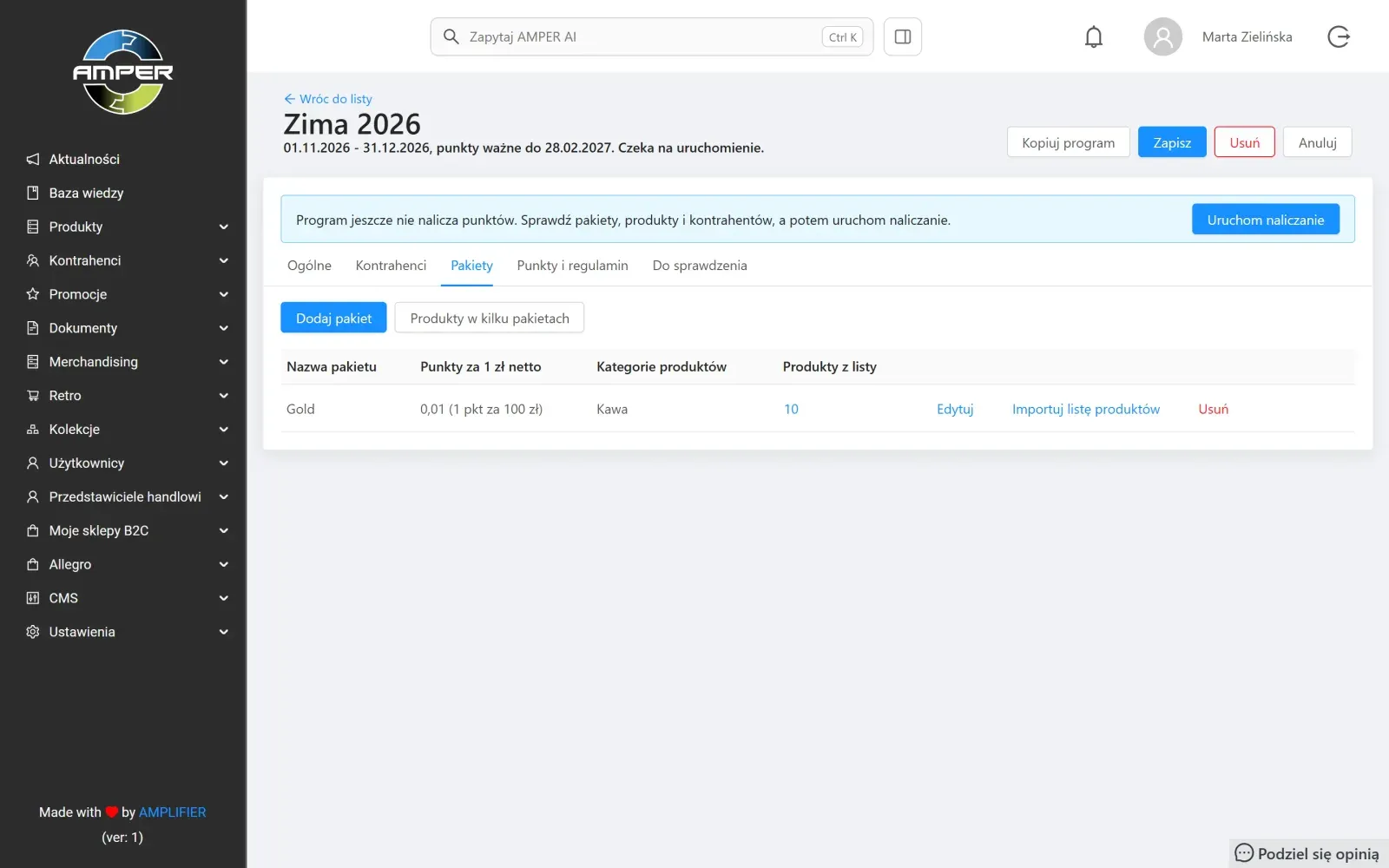
You choose participants one by one or by whole customer categories. Before launch, the panel shows a preview: how many participants and invoices the program will cover and roughly how many points the first calculation will add. Until then you can still adjust the packages and dates.
2. Points add up on their own from invoices and credit notes
Every night the system adds points for new invoices and credit notes from the ERP. Nobody retypes anything. The program also counts invoices retroactively, from the start of the earning period, so launching it a few days after the start date loses nothing.
A credit note changes the points of its own invoice and is linked to it. Documents the system cannot settle on its own (usually a small share of credit notes) wait in a separate review tab, with the reason shown.
If you want to reward only paid purchases, you turn on the option to award points for paid invoices only. An invoice then earns points only when nothing is left to pay in the customer’s settlements, and until then the customer sees its points as waiting for payment.
3. Customers see their points and choose a reward
In the B2B store, the customer’s account has a loyalty program tab: points available to redeem, the balance in each program with its expiry date, and the reward catalog. Next to a reward they cannot afford yet, they see how many points are missing. The history shows each invoice as a separate entry and, when expanded, which products earned points.
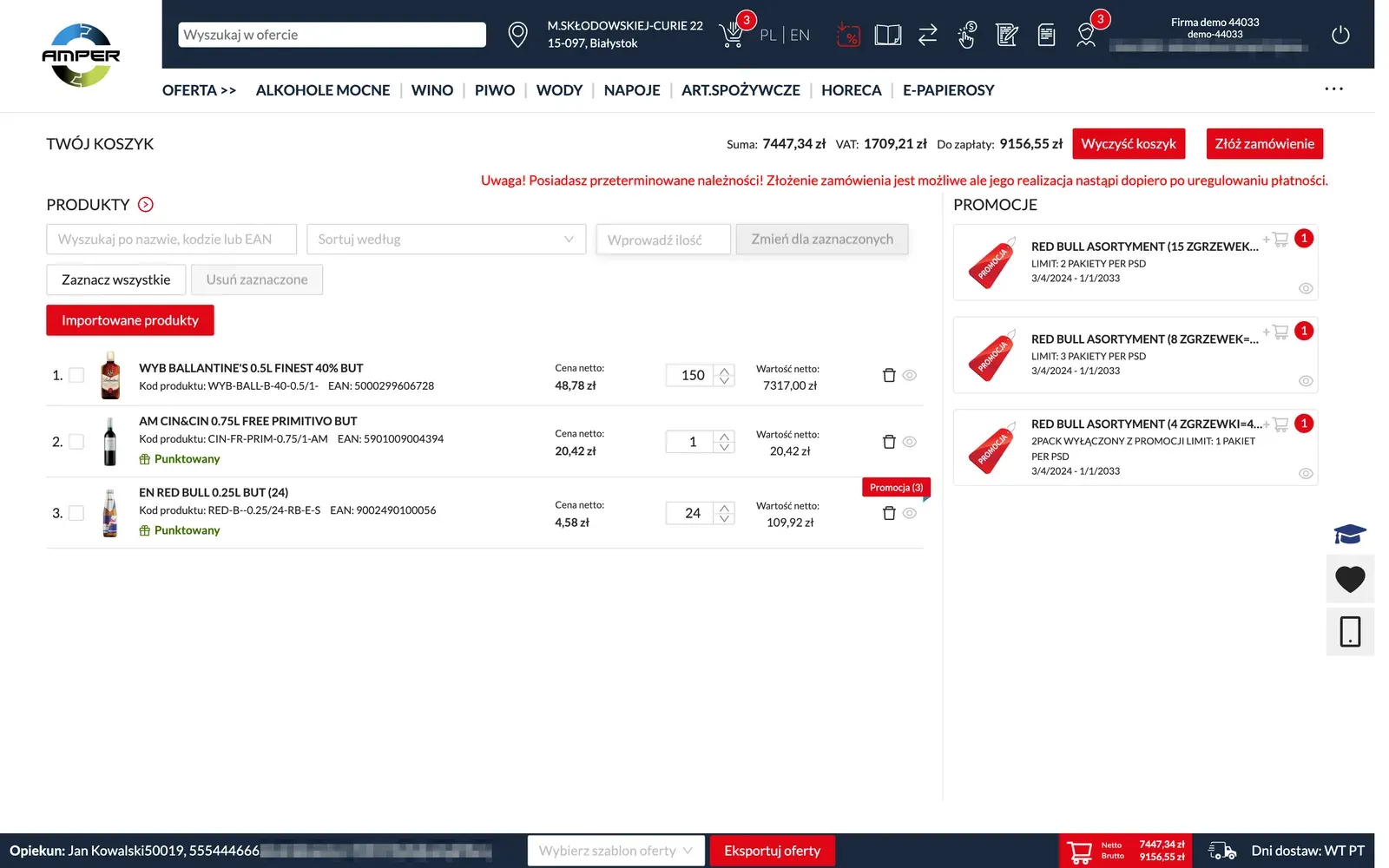
Products covered by the program are marked as earning points – in the product list, on the product page, in quick search and in the cart. Customers know what will earn points before they place an order.
Customers learn about the program from an invitation window that appears after they log in – at most twice a day, until they decide on the terms. If they already have points, the window says how many are waiting for them. A new version of the terms is announced the same way, after login, never in the cart or during checkout.
4. Reward requests on one list
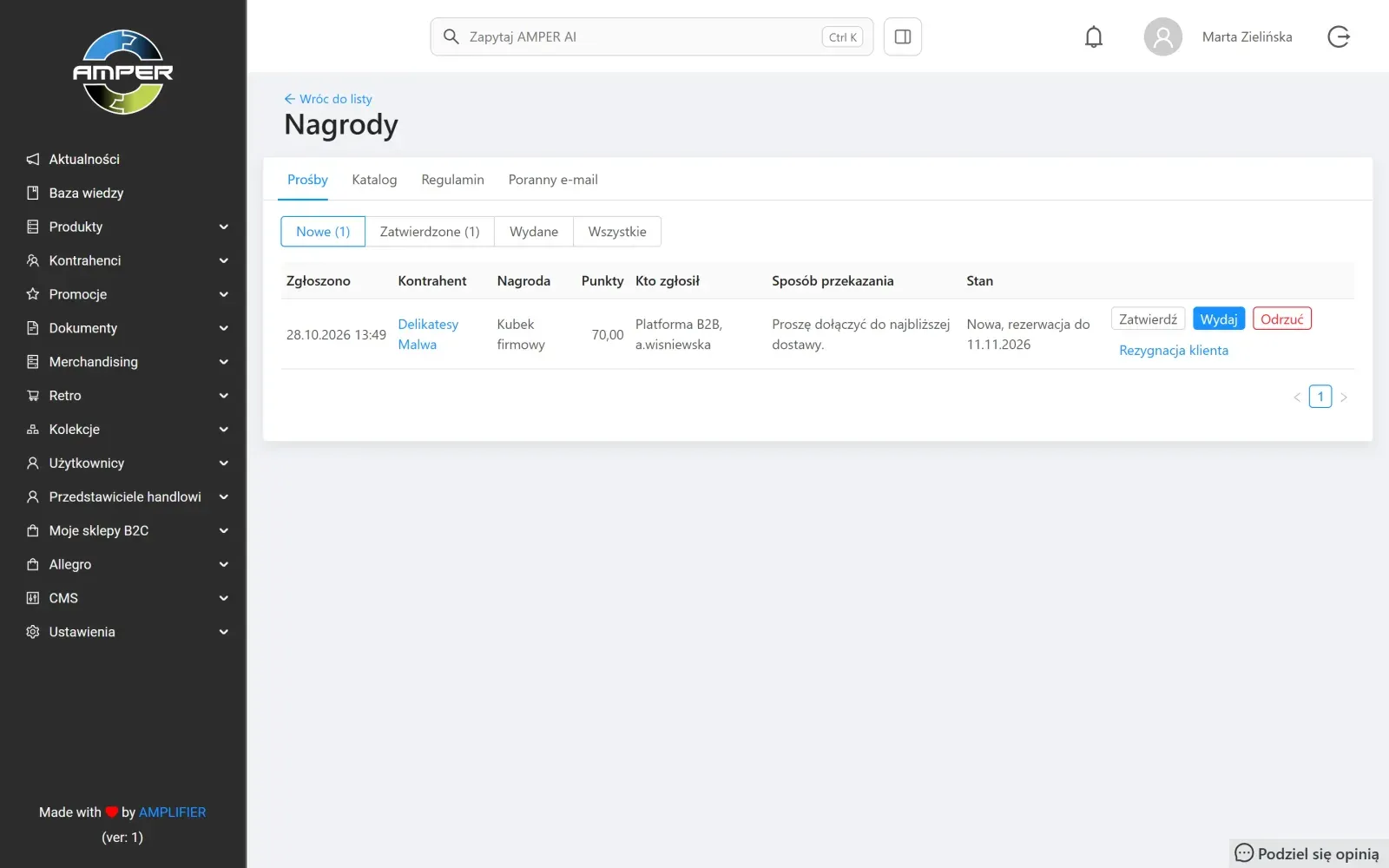
Requests from the B2B store and from the panel land on one list. Each decision takes one click: approve, hand out or reject. A request reserves points for 14 days, and the customer follows its status in their rewards section.
Every morning the team gets one email summarizing the previous day: accepted and rejected terms, new reward requests, expiring reservations and documents to review. The email only arrives when something happened in the program.
What it means for your company
- No more counting points in a spreadsheet. Points come from ERP invoices and are recalculated every night. Your team deals with rewards, not arithmetic.
- Purchases go where you want them. Only products in the packages earn points, e.g. selected brands. Customers see this next to the product and in the cart.
- You reward paid invoices. With the paid-invoices-only option, the program does not reward purchases you have not been paid for yet.
- Fewer “how many points do I have?” calls. Customers check their balance, points history and reward status themselves in the B2B store.
Good to know
- Terms accepted online. Customers accept them in the B2B store, and the panel records who did it and when. The terms have versions: a new version needs to be accepted again, a new program on the same terms does not.
- Customers without a B2B account can take part too. Consents collected by sales reps during visits are recorded in the panel in bulk, and you can request a reward on the customer’s behalf, e.g. after a phone call.
- Several programs at once. For example, a separate program for each brand. An invoice earns points in every program that covers its products.
- Bonuses outside invoices. Points for an order placed at a trade fair can be added manually, with a reason the customer sees in their points history.
- The next edition in one click. Copying a program carries over the packages, conversion rates, products and participants. You only change the name and dates, and the points and history stay in the previous edition.
How to get started
The loyalty program is switched on by AMPLIFIER. When we switch it on, we agree together which ERP documents are invoices and which are credit notes. Then, in the panel:
- You publish the terms – without them, customers do not see the program in the B2B store.
- You create the program: earning period, points expiry date, participants and packages.
- You check the preview and start earning. The first points appear after the nightly calculation.
- You add rewards to the catalog or show them on a banner on the store’s home page.
The full step-by-step setup, with screenshots from the panel and the B2B store, is in our knowledge base: Loyalty program – instructions (in Polish).
Summary
AMPER Loyalty Program moves your program out of the spreadsheet and into the system your customers already order from. You decide what earns points and what the rewards are. AMPER calculates the points, and customers see them with every order.
Already using AMPER and want to launch the program? Write to support@ampliapps.com or call +48 85 6000 263. If you are new to AMPER, book a demo – we will show you the loyalty program together with the B2B store.